
- hearthandloom.com/product/linen-throw-blanket
Hearth & Loom
Bedroom
Living
Kitchen
Cart (1)
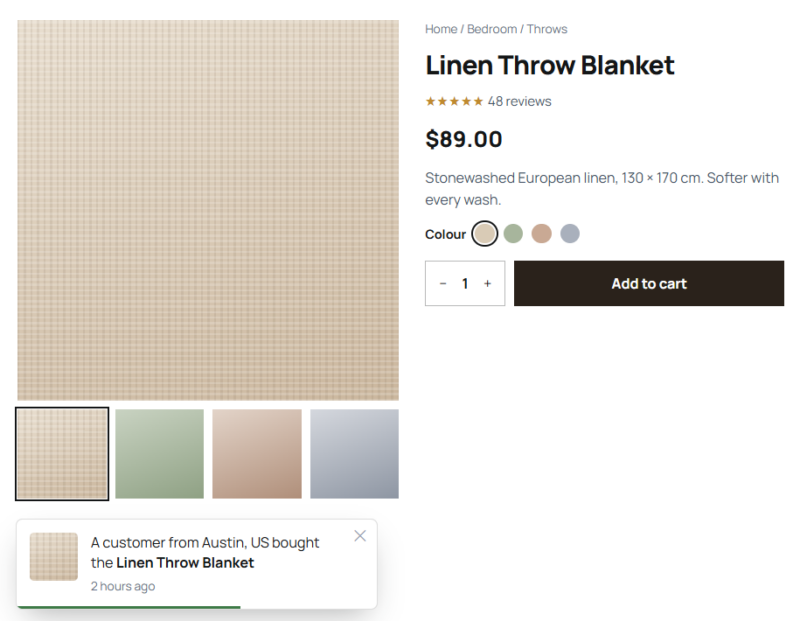
Examples
Small, polite, and true.
Sources, privacy, style, and position below are all set in the element. The sample orders and reviews stand in for your own store data.
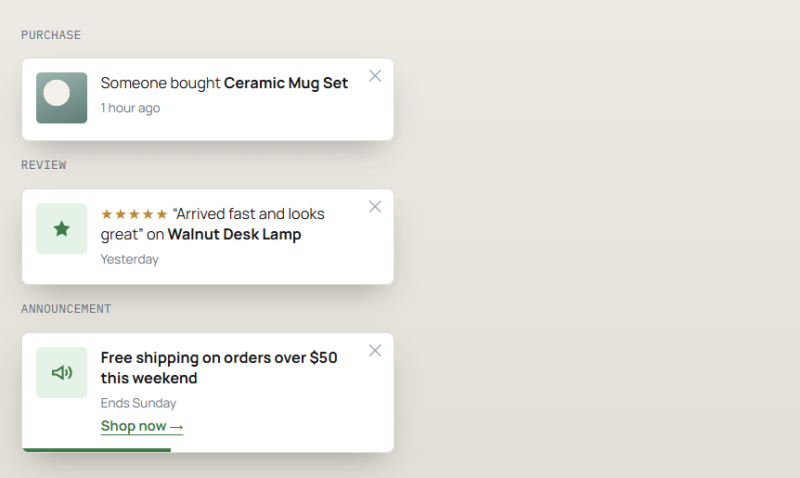
[ Sources: Purchases, Reviews, Announcements ] [ Minimum Review Rating: 5★ only ]
Example 01
One toast for each source
Stacked here so you can compare them. On a live page they arrive one at a time in the same corner, with a quiet gap in between. Announcements are child items you write yourself, with an optional link.
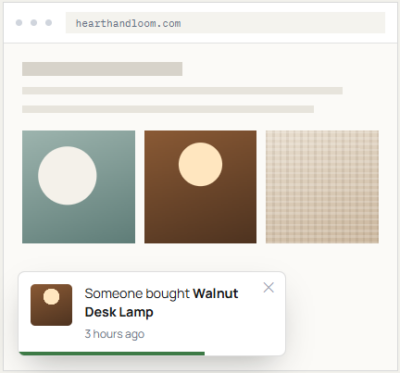
[ Card / Bottom Left ]
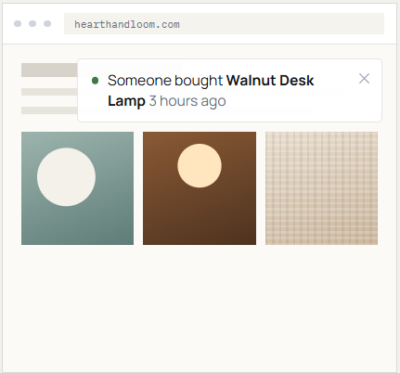
[ Minimal / Top Right ]
Example 02
Card and Minimal styles
The same purchase in two treatments. Card is a bordered panel with a thumbnail and shadow; Minimal is a single quiet line for sites that want less on screen. Each can sit in any corner.
Example 03
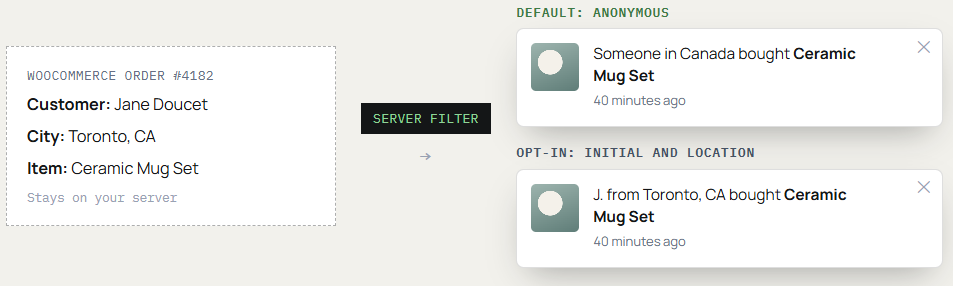
The same order, shown two ways
Names are removed on the server before anything is sent to the browser. Showing an initial and a place is something you switch on, not the default.
Example 04
The settings panel
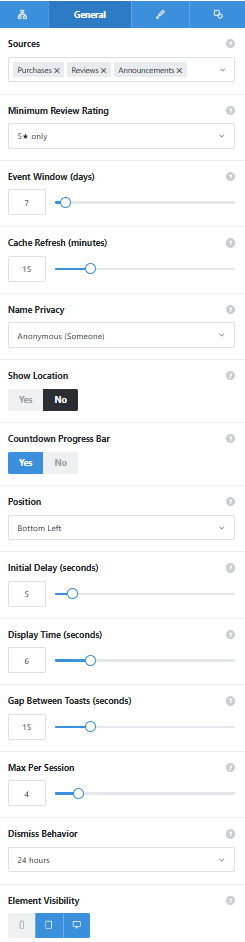
The General tab as it ships. Announcement items are added as child elements from the first tab, and Card or Minimal style, width, colors, and typography sit on the Design tab.
Sources
Purchases, reviews, announcements, or any mix. Purchases and reviews need WooCommerce.
Minimum Review Rating and Event Window
Only reviews at or above the rating you pick are shown, from orders and reviews placed within the last 1 to 90 days.
Name Privacy and Show Location
Anonymous by default. Opt in to a first initial, and choose whether the city or country comes with it.
Timing
Initial delay, display time, gap between toasts, and a cap of 1 to 25 per session.
Dismiss Behavior
Remember a dismissal for the session, 24 hours, or permanently.
Element Visibility
Phones are off by default, as shown, so small screens stay clear.
[ Real data only ]
Every purchase and review toast comes from an actual WooCommerce order or review on your store. There is no setting to invent activity, pad numbers, or loop fake names. If nothing happened inside your event window, no purchase or review toast appears.
See it working on a real Avada site.
What you can build
Proof that your store is busy, because it is.
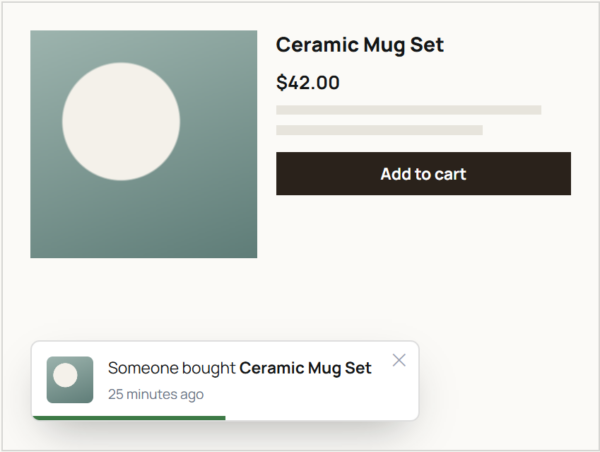
Recent purchases on product pages
Let shoppers see that other people are ordering, pulled from orders placed in the last few days. When sales are quiet, the toasts simply wait.
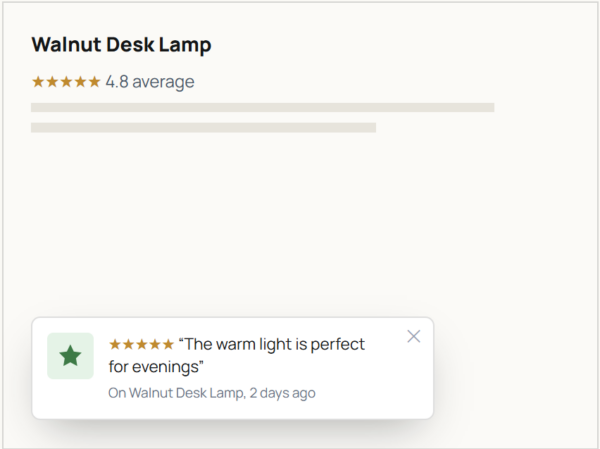
Your best recent reviews
Rotate short review snippets with a minimum star rating, such as four stars and up. Reviewer names stay hidden unless you choose otherwise.
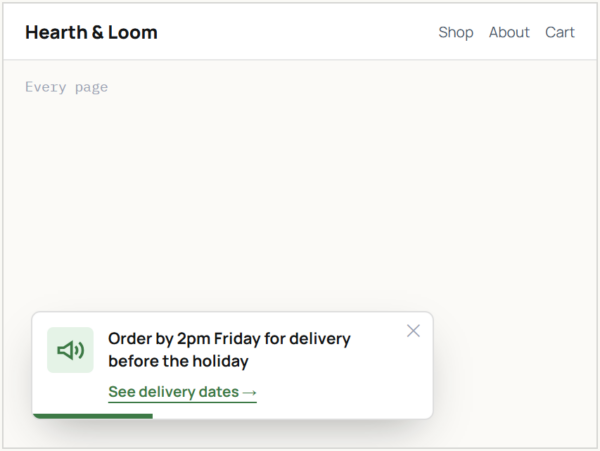
Store-wide announcements
Put a sale, a new arrival, or a shipping cut-off in a corner toast across the site from an Avada Layout. This part works even without WooCommerce.
Features
What you control.
Real events only
Every purchase and review toast is an actual order or review. Nothing is fabricated.
Three sources
Recent WooCommerce purchases, WooCommerce reviews, and announcements you write, with optional links.
Minimum star rating
Choose the lowest review rating that can appear.
Names hidden by default
Filtered on the server. Opt in to a first initial with city or country.
Event lookback window
Include orders and reviews from the last 1 to 90 days; 7 by default.
Delay, duration, and gap
Set when the first toast appears, how long each stays, and the pause between them.
Session cap and dismiss memory
Show 1 to 25 per session, 4 by default, and remember a dismissal for the session, 24 hours, or for good.
Corner, style, and progress bar
Pick a screen corner, Card or Minimal style, and an optional countdown bar.
Off on phones by default
Small screens stay clear unless you change Avada visibility.
Works the Avada way
Set up once, shown everywhere you need it.
Add it to a page or an Avada Layout, then add announcement items as child elements.
[ ]
Avada Builder
A parent element with announcement items as children, placed on a page or in a Layout.
[ ]
Design controls
Width, minimum height, background and accent colors, and typography for the message and its meta line.
[ ]
Avada Live
Preview toasts and adjust their corner and style on the front end.
[ ]
Live option updates
Margin sets the inset from the corner, padding sets the inner spacing, and changes show as you edit.
FAQ
Notice Flasher questions
Related elements
Fancy Advanced Table
Product comparisons in a real table
Line up specs or prices with sorting, search, and pages, inside Avada.
Fancy Cost Calculator
A ballpark price before the inquiry
Sliders, priced options, and add-ons add up to a live estimate for the visitor.
Fancy Reveal Offer
A coupon under a scratch card
Visitors scratch away a cover to find the code or message you set.