
- hearthandoak.com/black-friday
Hearth & Oak, Nov 27 to Dec 1
Black Friday: Scratch your offer
25% OFF
WELCOME25Same offer for every visitor. Scratch to see yours.
Examples
Covered, scratched, revealed.
The cards marked live respond to your mouse or finger. Shops, codes, and offers are sample content.
- hearthandoak.com/black-friday
[ Code: WooCommerce coupon ] [ Click to copy: On ] [ Button link: /sale ]
Example 01
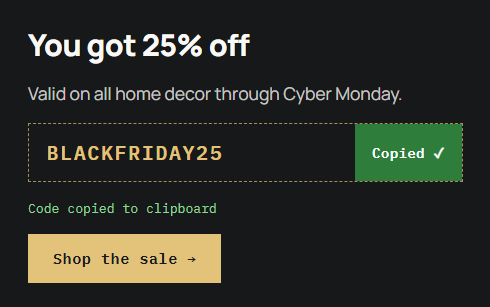
After the reveal
The cover is gone and the offer reads in full. One click copies the code, and screen readers hear that it was copied.
- bermondseyroast.co.uk/welcome
Bermondsey Roast Co.
Thanks for joining the list
50% OFF
WELCOME50Live: scratch it
[ Cover: Solid color + text ] [ Reveal offer button: On ] [ Auto-reveal: 50% ]
Example 02
A quiet cover for a welcome page
A flat green cover with its own label suits a calm brand. Anyone who would rather not scratch can press Reveal offer, which also works from the keyboard.
Example 03
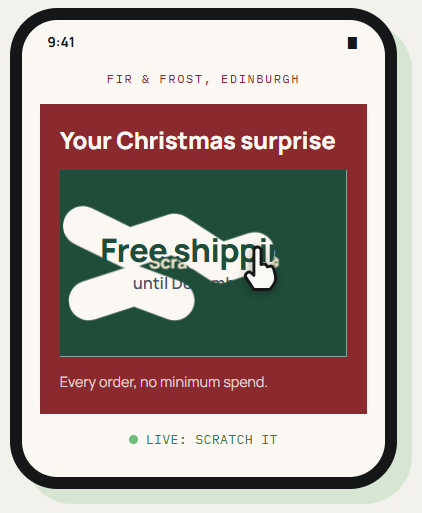
Scratched with a fingertip
On a phone the card responds to touch, so a swipe of the finger clears the cover. Once enough is cleared, the rest fades away on its own.
[ Input: Touch ] [ Auto-reveal: 50% ] [ Reduced motion: no fade ]
[ No fake odds ]
Under every cover is the one offer you wrote. There is no prize draw and no way to lose, so the card never hints at chances that do not exist.
See it working on a real Avada site.
What you can build
Small rewards that feel like a find.
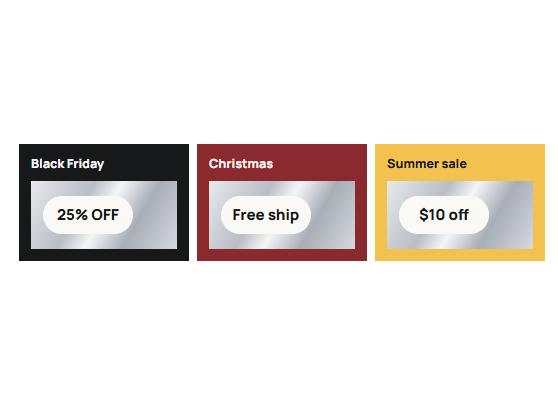
Seasonal sale pages
Give Black Friday, Christmas, or a launch day landing page something to do before the product grid. A single scratch makes the discount the first thing people talk about.
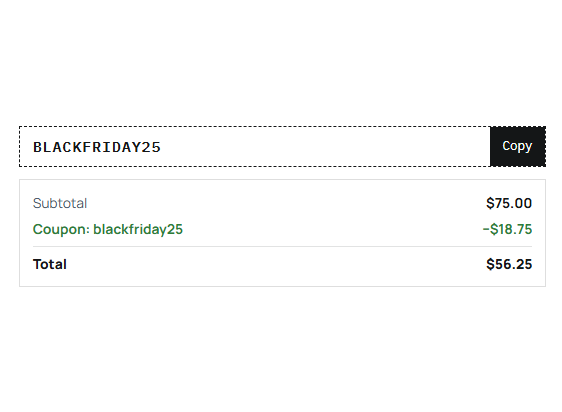
WooCommerce promotions
Link the card to a coupon you already set up in WooCommerce. Its usage limits and expiry date are checked at checkout, just as they would be for any other coupon.
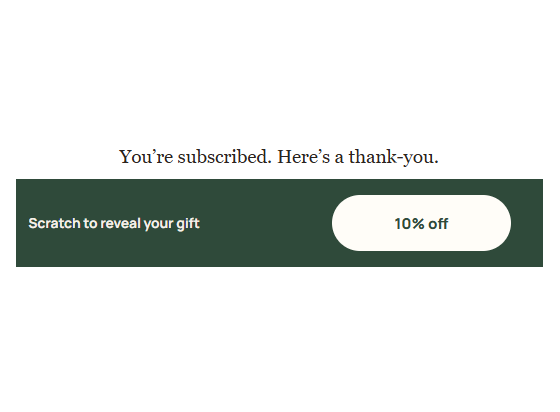
Welcome and thank-you pages
Reward a new subscriber or a finished purchase with a card on the next page. It turns a routine confirmation into a reason to come back.
Features
Everything on the card.
Scratch by mouse or finger
Visitors erase the cover with a cursor on desktop or a fingertip on touch screens.
Auto-reveal threshold
Once a percentage you set is scratched, the rest of the cover clears itself.
Reveal offer button
An optional button that uncovers the offer, usable by keyboard and screen readers.
Three cover types
A solid color, an image, or a text label such as Scratch to reveal.
The hidden offer
Heading, message, code, and button link. Heading, message, and link accept Avada Dynamic Data.
Plain text or WooCommerce coupon
Type a code, or select a coupon you already created in WooCommerce.
Click to copy
One click copies the code, with a copied message announced to assistive technology.
Reduced motion respected
Visitors who ask their device for less motion get the offer without the animated fade.
Card styling
Background, accent color, maximum width, and separate typography for heading, message, and code.
Works the Avada way
Cover and offer, set up in one element.
Pick a cover, write the offer that sits beneath it, and decide how much scratching reveals the rest.
[ ]
Avada Builder
Add the card like any other element and fill in the cover and offer in its options.
[ ]
Global colors and typography
Card background, accent, and the three text styles can use your Avada global settings.
[ ]
Avada Live
Edit the card directly on the page you are designing.
[ ]
Live option updates
Styling, and margins and padding per breakpoint, change on screen as you adjust them.
FAQ
Reveal Offer questions
Related elements
Fancy Notice Flasher
Corner notes from real activity
Rotate genuine purchases, reviews, or your own announcements in small corner notifications.
Fancy Content Gate
A teaser that leads to sign-ups
Show the start of a piece and reveal the rest after an Avada Form is submitted.
Fancy Cost Calculator
Instant price estimates
Let visitors work out a quote on the page before they get in touch.