
/* Fancy Schema Markup */
[Schema Markup]
Help search engines understand your business, articles, products, and events, without code.
- Pick a schema type, fill in plain fields, and the JSON-LD is written for you.
- If a required field is empty, nothing is output, so you never publish half-finished markup.
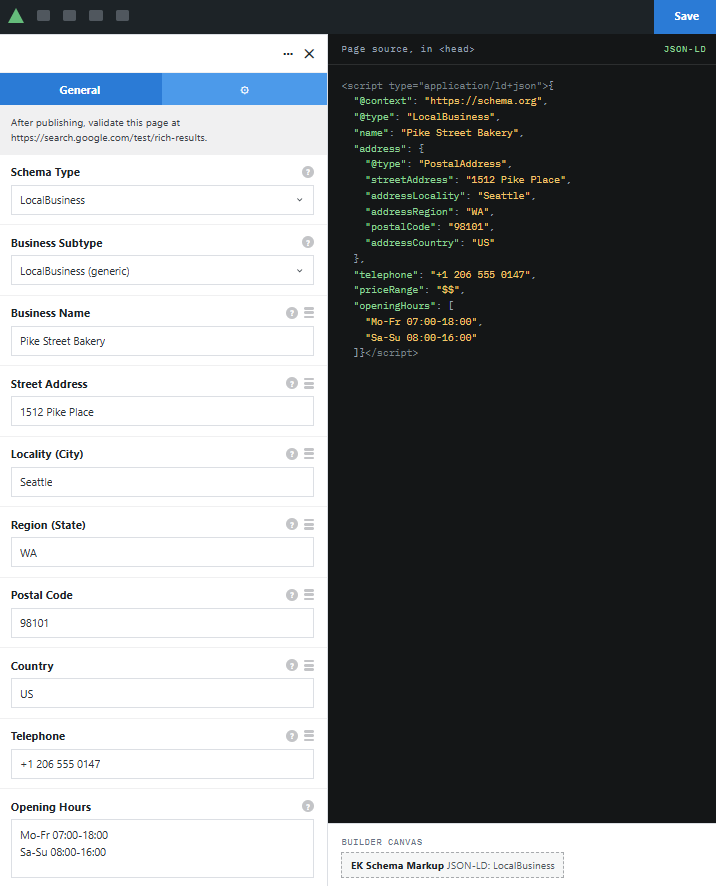
Visitors see nothing on the page. The markup sits in the source for search engines.
Examples
Fields in, clean code out.
Panels show the element’s builder options. Businesses, posts, and the search result are sample data.
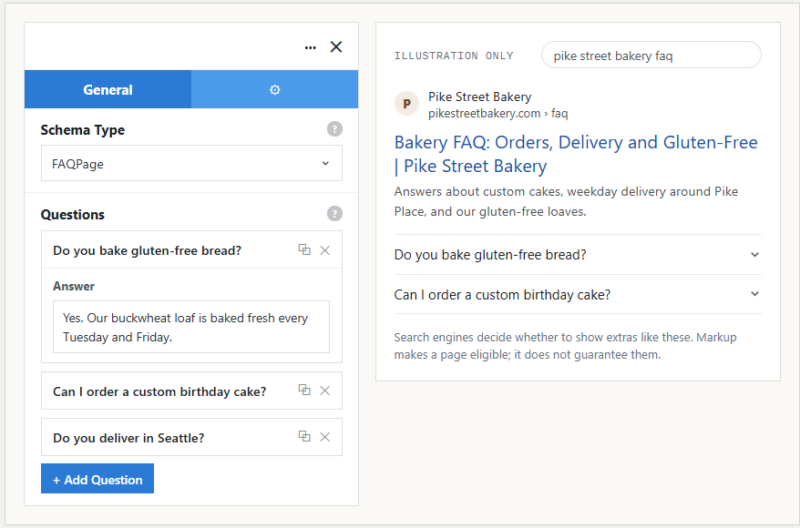
[ Type: FAQPage ] [ 3 question rows ] [ Output: FAQPage, mainEntity ]
Example 01
How search engines can display FAQ markup
Each row becomes a Question with its accepted Answer in the code. The search result on the right is an illustration of one way that data can be shown, not a promise that it will be.
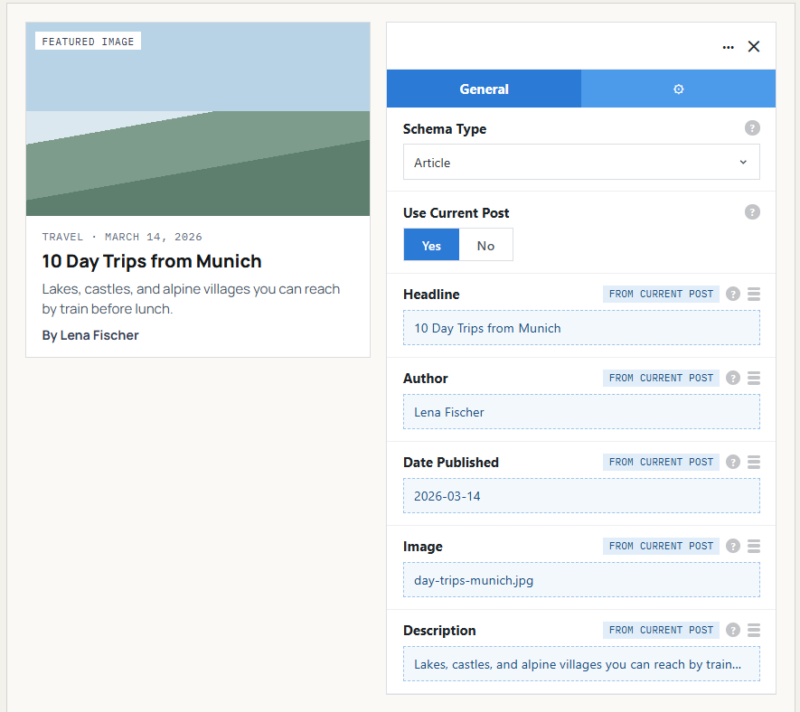
[ Type: Article ] [ Use Current Post: Yes ]
Example 02
Articles that fill themselves in
Switch on the current post option and the title, dates, author, featured image, and excerpt come straight from the post being viewed. Place it once in a blog template and every article is covered.
Example 03
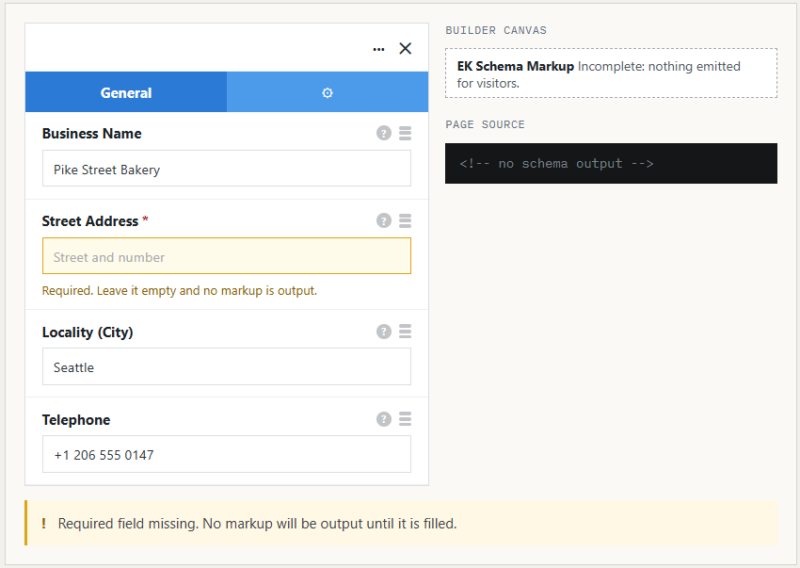
The safety check
With the street address blank, the element holds everything back rather than sending an incomplete address to search engines. Fill the field and the full LocalBusiness block appears in the source again.
[ Required: address fields ] [ Output: none until filled ]
[ What to expect ]
Structured data helps search engines read a page correctly. It does not guarantee rich results or better rankings; the search engine decides what to display. The element also leaves out review and star rating markup on purpose, because self-written ratings break search engine guidelines.
See it working on a real Avada site.
What you can build
Pages that explain themselves to search engines.
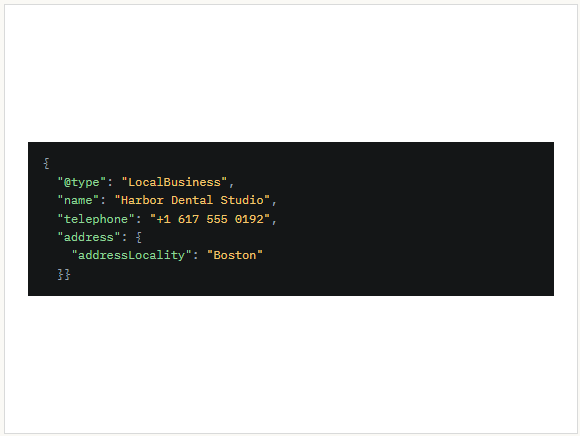
Contact pages for local businesses
Add your name, address, phone, and opening hours as LocalBusiness data on the page where visitors already find them. Keep the details matching what the page shows.
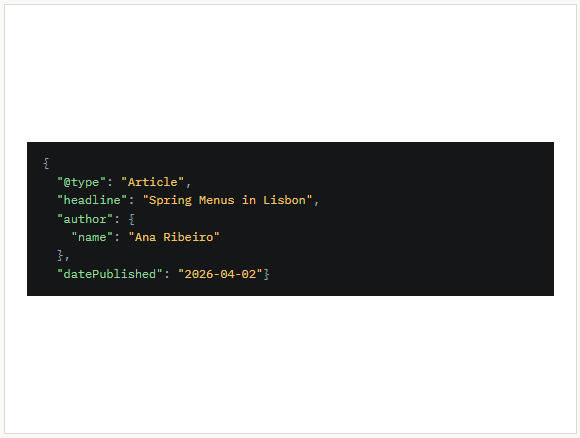
Blogs and news articles
Drop the Article type into your post template with the current post option on. Every new article carries its headline, author, and dates without extra work.
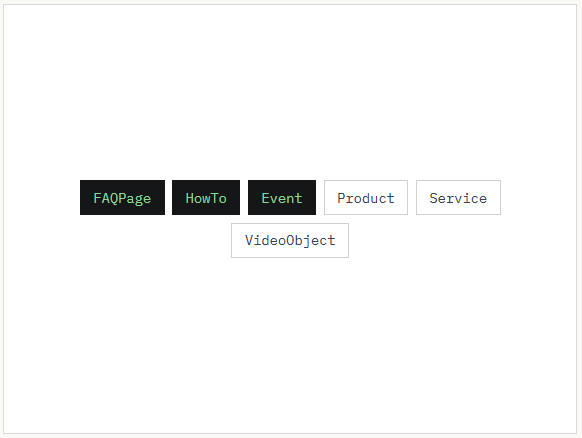
FAQs, guides, events, and products
Mark up a question page, a step-by-step guide, an upcoming event, or a product page with the type that fits. Add one element per type on the page.
Features
What the element handles for you.
Ten schema types
LocalBusiness, Organization, Person, Article, Product, Event, Service, FAQPage, HowTo, and VideoObject.
Typed fields
Each type shows its own fields, so you fill in values instead of writing JSON.
Question and step rows
Add FAQ questions with answers, or HowTo steps, one row at a time.
Articles from the current post
Title, dates, author, featured image, and excerpt filled in automatically.
Avada Dynamic Data
Most fields can pull values from Dynamic Data instead of typed text.
Required fields checked
If a required field is empty, the element outputs nothing at all.
Clean output
Optional properties you leave blank are left out of the code.
Duplicate type warning
The builder warns you when the same type is added twice on one page.
SEO plugin notice
An advisory appears when a major SEO plugin is active, so you can check for overlap.
Works the Avada way
One element per schema type.
Choose a type and its fields appear. Questions and how-to steps are added as rows.
[ ]
Avada Builder
Settings live in the usual element panel, with a link to Google’s Rich Results Test to validate after publishing.
[ ]
Conditional rendering
Output the markup only when Avada’s conditions are met.
[ ]
Avada Live
A small label on the canvas shows which type is active, or that the markup is incomplete.
[ ]
Dynamic Data
Point fields at post data, custom fields, or site options instead of typing them.
FAQ
Schema Markup questions
Related elements
Fancy Location Lister
Every branch in one directory
Searchable locations with hours, a live open or closed badge, and contact buttons.
Fancy Timeline
Milestones in order
Company history, project phases, or a roadmap, vertical or horizontal.
Fancy Video Gallery
Many videos, light pages
Click-to-play thumbnails in a grid, slider, or playlist.